Set a KDS hazard
Select a pushover or time history study. In its seismic hazard group, set Code to KDS 41 17 00 : 2022. The group becomes Seismic hazard (KDS 41 17 00 : 2022):
| Property | What it does |
|---|---|
| Seismic zone | I or II. S = Z × 2.0. |
| S from the hazard map (g) | A value from the national hazard map; 0 uses the zone. |
| Site class | S1 to S5. |
| Seismic grade | Special, I or II, from the building’s importance. |
| Return period of this study | The earthquake the study runs at, and the objective checked there. |
| Force-resisting system | From Table 6.2-1: R, Ω0 and Cd for the equivalent static base shear the report compares with. |
| Spectrum | Read-only: S, Fa, Fv, SDS and SD1 as worked out. |
| Objective checked | Read-only: the storey drift limit and member criterion of the objective. |
Check the zone factor
The zone factors Z come from KDS 17 10 00, not from KDS 41 17 00 itself. The program says so in the property’s description. Check them against the standard you work to.
Make one study per objective
Each study runs at one return period and checks one objective. For several objectives, copy the study and change its Return period of this study. The report meets an objective only if every study at that return period passes.
Set up the KDS record suite
With a KDS hazard, the time history’s suite group is Record suite (KDS 41 17 00 §7.3.4.1). Turn on Run as a record suite, then set:
- Records in the suite: at least 3. With 7 or more the mean response is used, else the largest.
- Records are: recorded, spectrum-matched or site-response records. This sets the floor on the mean spectrum.
- Scaling and Orientations. In a 3D analysis choose Both, so each pair also runs turned by 90°.
- Period range: 0 uses 0.2 × the shorter and 1.5 × the longer first-mode period.
The Storey drift limit shows the limit of the objective. Records come in through Assign › Ground Motion, as in the time history tutorial.
Add the linear studies
The report compares the nonlinear results with the linear model, and the Korean Volume 1 is built from it. Keep a static study with the equivalent static seismic load and a modal study, and run the design. A response spectrum study adds to Volume 1.
Run everything
Run each study: select it and press F5. A record suite runs every record, so it can take a long time.
Fill in the report information
The model cannot give the location, the use, the reviewers or the conclusions. Enter them in Results › Seismic › Report information…, including the third-party reviewers of KDS 41 17 00 §15.7. Blank fields print as lines to fill in by hand.
Generate the report
Choose the language in Explorer › Reports › Settings, under Language. Then open the report from Explorer › Reports:
| Language | Reports offered |
|---|---|
| English | Seismic evaluation report |
| Korean (한국어) | Volume 1 · Linear analysis and seismic design and Volume 2 · Performance-based seismic design |
Volume 2 follows the Korean table of contents: introduction, criteria, ground motions, modelling, pushover, time history and conclusions. Where the model cannot supply something, the report says what is missing instead of inventing it.
Save the report as PDF, Word or HTML. The report’s charts and tables are also under Results › Seismic without generating it.
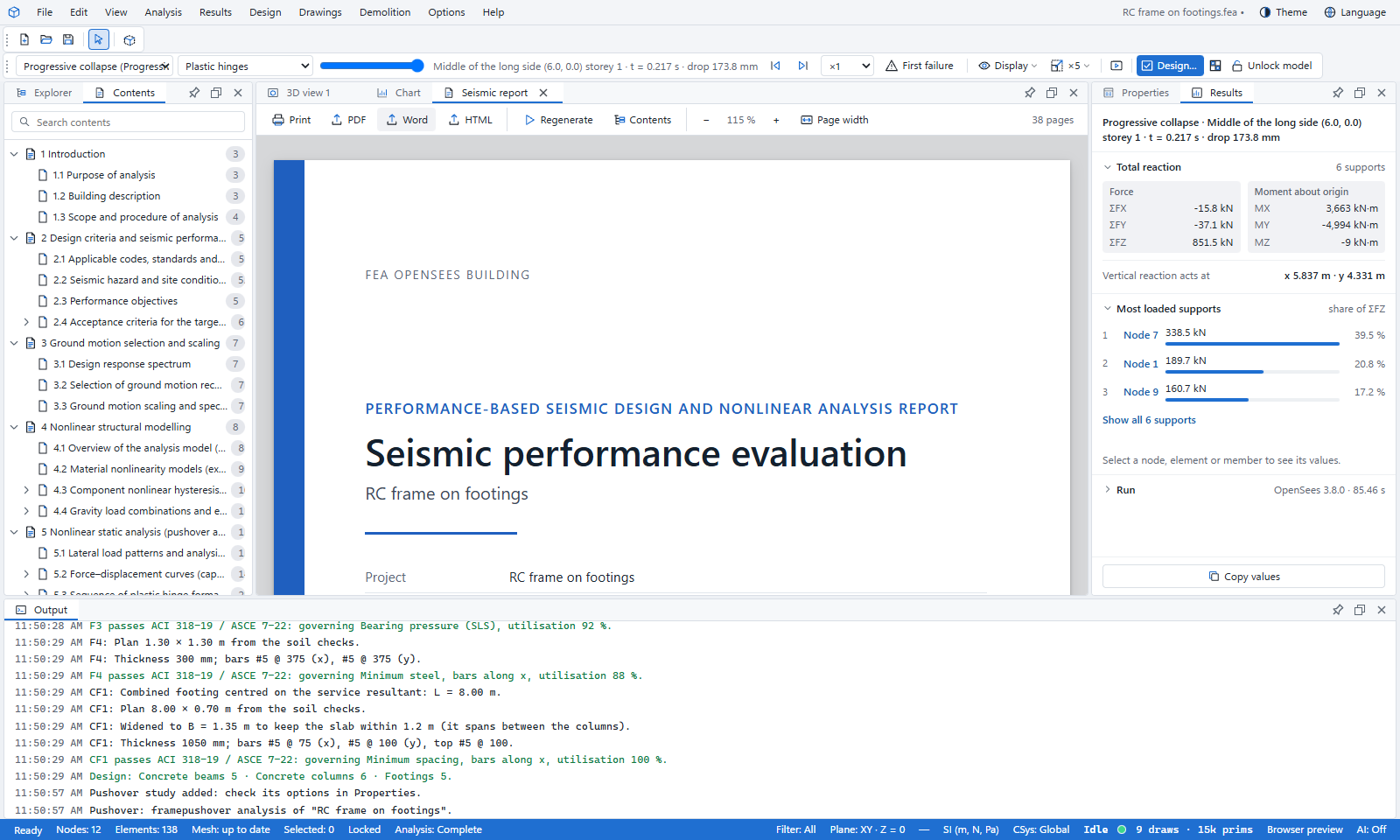
See a sample seismic performance evaluation report (PDF, 3.5 MB) for an RC office building in Seoul to KDS 41 17 00:2022, with two pushovers and three time histories. It is the English evaluation report, made with FEA Studio, which runs the same OpenSees studies.
What you learned
- A KDS hazard sets the spectrum, the objective and its drift limit for each study.
- The KDS record suite scales the records to §7.3.4.1 and uses the mean with 7 or more records.
- Report information… fills in what the model cannot give.
- Korean reports come as Volume 1 and Volume 2; English as one seismic evaluation report.